Golf Scorecard Design Guide
Master the art of scorecard design with our comprehensive guide covering layout, typography, color schemes, and branding best practices. Create scorecards that are both functional and beautiful.
Understanding Scorecard Basics
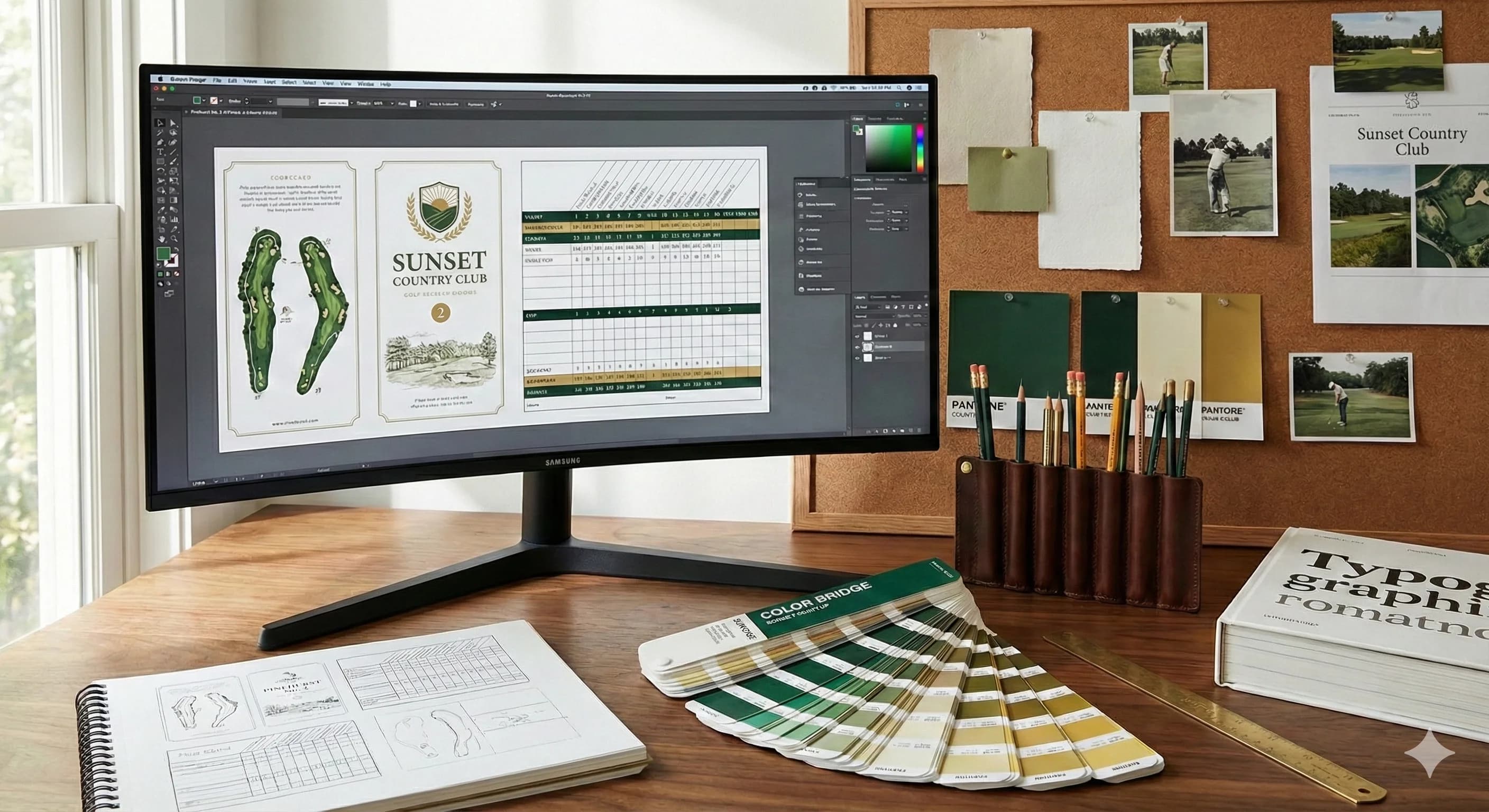
A well-designed golf scorecard is more than just a tool for tracking scores—it's an essential part of your course's brand identity and player experience. Every design decision, from layout to typography, impacts how players interact with your course.
The primary function of a scorecard is to provide clear, accessible information while maintaining your course's professional image. Balancing functionality with aesthetics is key to creating a scorecard that players will appreciate and remember.
Layout Fundamentals
The layout is the foundation of your scorecard design. A logical, intuitive layout ensures players can quickly find the information they need without confusion.
Grid Structure
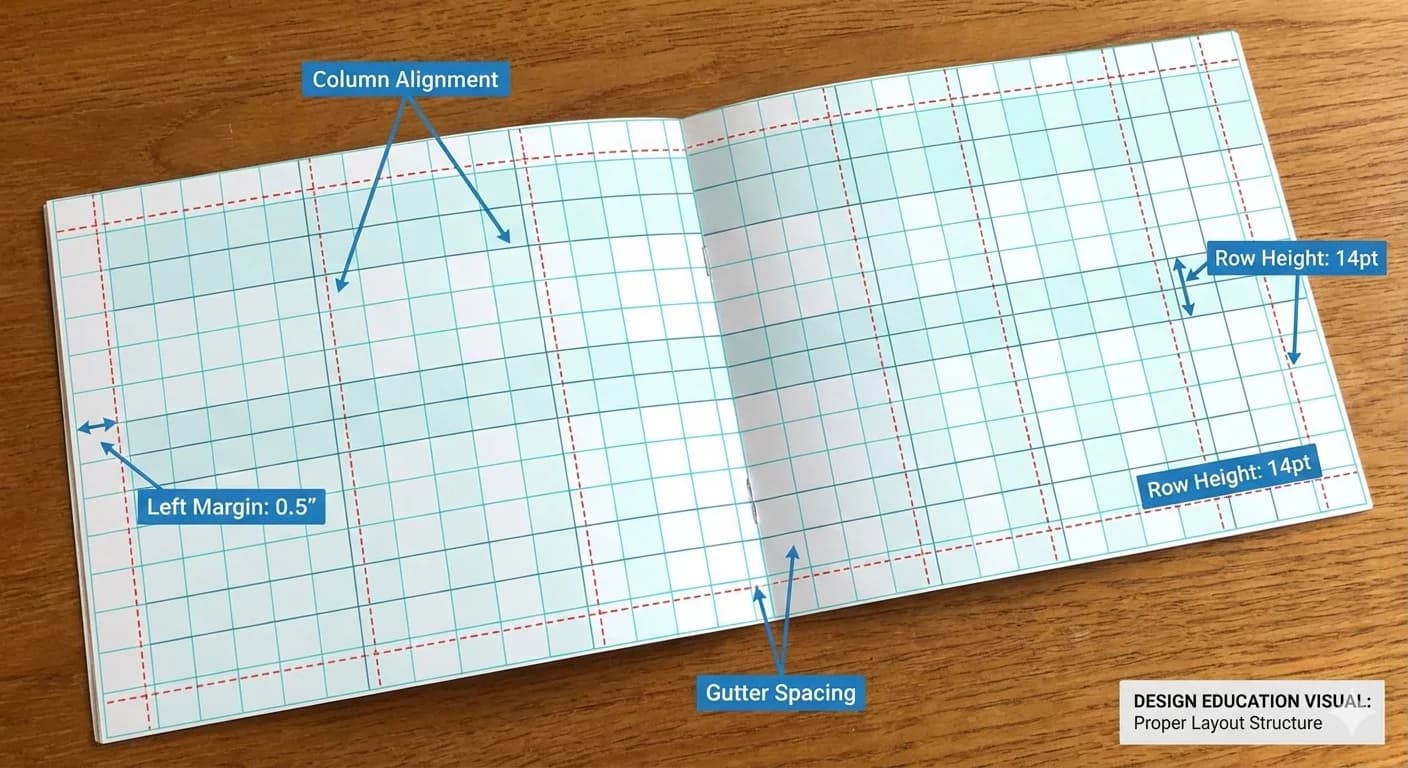
Start with a clear grid structure. The standard 18-hole scorecard typically uses a horizontal layout with holes 1-9 on top and 10-18 below, or a vertical split with front nine on the left and back nine on the right.
- Horizontal Layout: Best for standard-sized cards, provides natural reading flow
- Vertical Layout: Ideal for pocket-sized cards, maximizes space efficiency
- Fold-out Design: Allows for additional information and sponsor placement
Information Hierarchy
Establish a clear visual hierarchy to guide the eye through the scorecard:
- Primary Information: Hole numbers, par, yardages
- Secondary Information: Handicap, score boxes
- Tertiary Information: Course rules, slope rating, course rating
Typography Best Practices
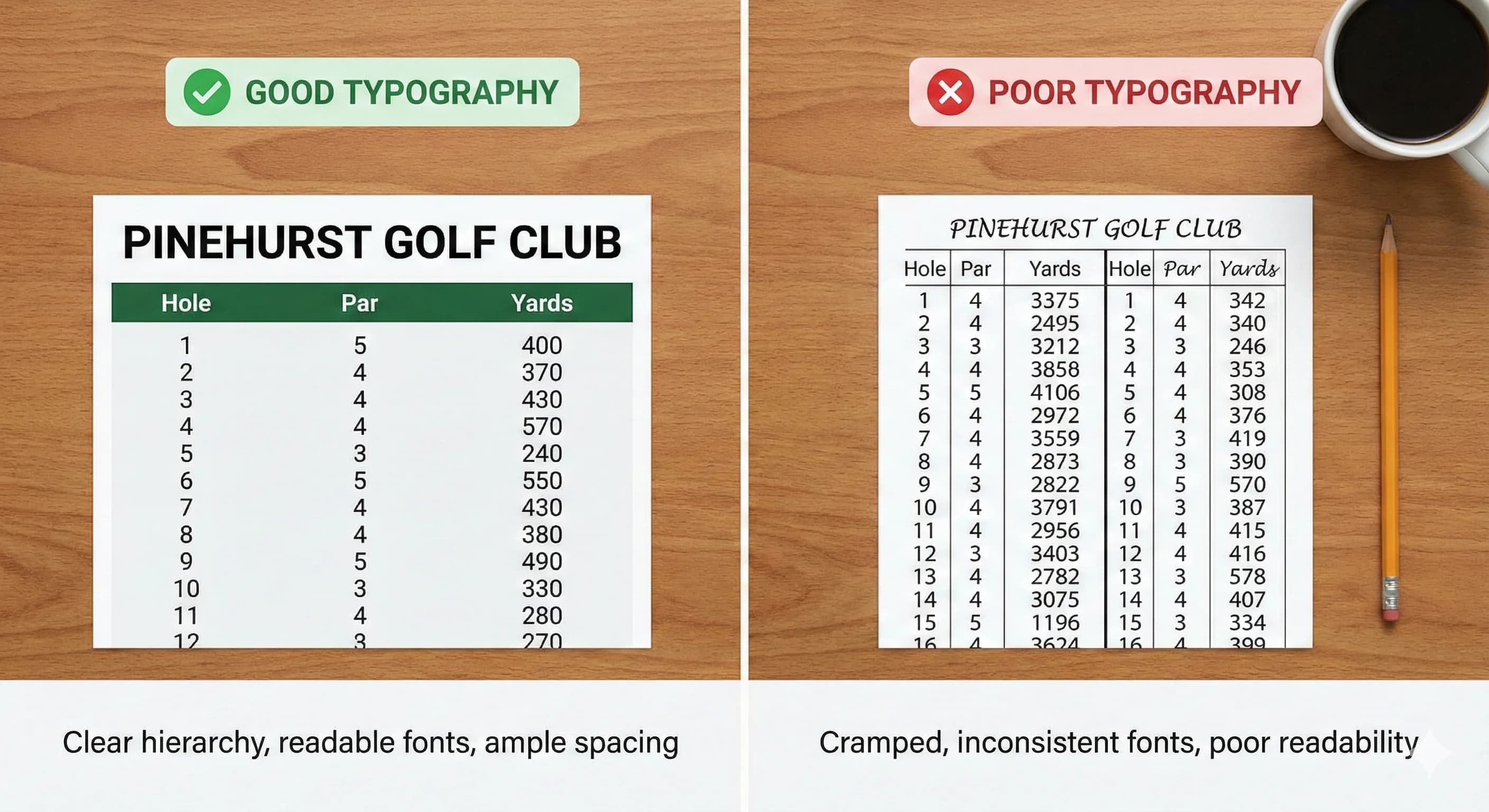
Typography plays a crucial role in scorecard readability. Poor font choices can make even the best-designed scorecard difficult to use on the course.
Font Selection
Choose fonts that are clear and legible at small sizes:
- Sans-serif fonts for data tables and numbers (Arial, Helvetica, Open Sans)
- Serif fonts for course name and headlines (Times, Georgia, Baskerville)
- Avoid decorative or script fonts for essential information
- Maintain minimum 8pt font size for critical information
Number Formatting
Numbers need special attention as they're the most frequently referenced elements:
- Use tabular figures for alignment in score columns
- Bold hole numbers for easy scanning
- Consider color coding for par (par 3s, 4s, and 5s)
- Ensure adequate spacing between numbers to prevent confusion
Color Schemes and Branding
Your scorecard's color scheme should reflect your course's brand while maintaining functionality. Colors can enhance readability and create visual interest without overwhelming the design.
Color Psychology in Golf
- Green: Natural choice for golf, represents the course itself
- Blue: Conveys trust, stability, and tradition
- Gold/Brown: Suggests premium quality and classic elegance
- Black/White: Clean, professional, and timeless
Functional Color Use
Use color strategically to improve usability:
- Alternate row colors for easier reading (subtle gray bands)
- Highlight par 3s, 4s, and 5s with different tints
- Use contrasting colors for men's vs. women's tees
- Ensure sufficient contrast for outdoor readability
Logo and Image Placement
Strategic logo placement reinforces brand identity without interfering with functionality. Your course logo should be prominent but not overwhelming.
Logo Positioning Options
- Top Center: Traditional, authoritative placement
- Top Left: Natural reading position, good for horizontal logos
- Watermark: Subtle background element for sophistication
- Back Panel: Full-size display opportunity for detailed logos
Course Imagery
Including course photography can enhance the scorecard's appeal:
- Signature hole photography as background or feature image
- Hole-by-hole imagery for premium scorecards
- Course map integration for player navigation
- Ensure images don't interfere with text readability
Special Features and Enhancements
Modern scorecards can include features that enhance the playing experience and provide additional value to golfers.
QR Codes and Digital Integration
- Link to GPS/digital course guides
- Connect to online scoring systems
- Access course flyovers and tips
- Direct booking for future rounds
Additional Information Sections
- Local rules and course etiquette
- Pace of play guidelines
- Course record and achievements
- Contact information and social media
- Pro shop and restaurant details
Printing Considerations
Design choices must account for printing realities to ensure your scorecard looks as good in hand as it does on screen.
Bleed and Margins
- Include 0.125" bleed for edge-to-edge printing
- Keep critical information 0.25" from edges
- Account for fold lines in multi-panel designs
- Consider perforation placement for tear-off sections
Color Management
- Convert RGB designs to CMYK for printing
- Request color proofs for brand-critical colors
- Consider how colors appear on different paper stocks
- Test readability in various lighting conditions
Common Design Mistakes to Avoid
Learn from common pitfalls to ensure your scorecard design succeeds:
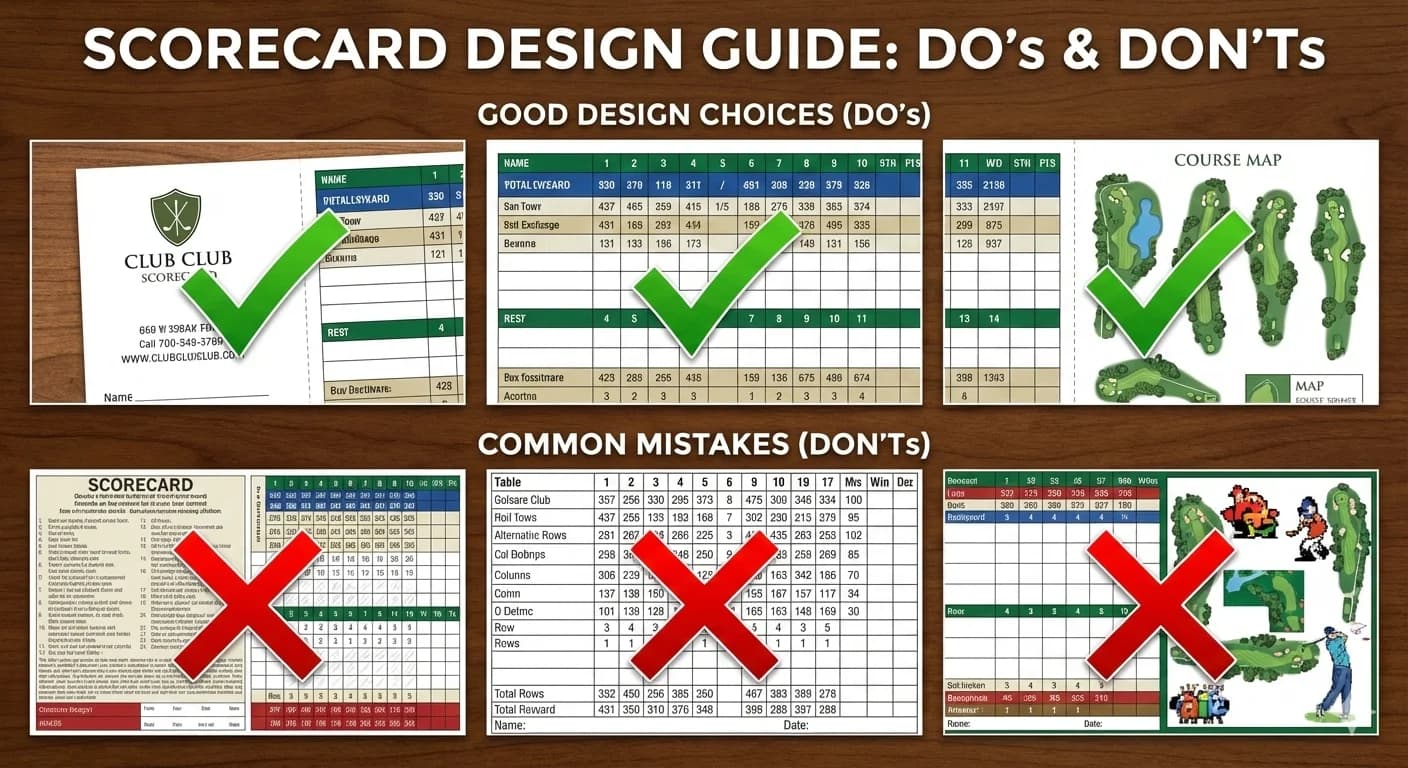
- Overcrowding: Trying to fit too much information in limited space
- Poor Contrast: Light text on light backgrounds or dark on dark
- Inconsistent Spacing: Uneven gaps between elements
- Tiny Fonts: Text too small to read comfortably on the course
- Ignoring Hierarchy: All information given equal visual weight
- Complex Backgrounds: Patterns that interfere with readability
- Missing Information: Forgetting essential elements like handicap or slope
Frequently Asked Questions About Golf Scorecard Design
What size should a golf scorecard be?
Standard golf scorecards are typically 8.5" × 3.67" (one-third of a letter sheet) for flat cards, or 8.5" × 11" folded to 5.5" × 8.5" for bi-fold scorecards. The flat size fits easily in a back pocket or cart clip. Bi-fold cards allow more space for hole diagrams, local rules, and sponsor ads.
What information should be on a golf scorecard?
Every golf scorecard should include: course name and logo, hole numbers (1-18), par for each hole, yardage from multiple tee boxes, handicap index for each hole, spaces for player names and scores, course rating and slope, and local rules. Optional additions include a course map, sponsor logos, and GPS yardage references.
What file format is best for scorecard printing?
For professional printing, vector formats (PDF, AI, EPS) at 300 DPI in CMYK color mode produce the best results. If you only have raster images (PNG, JPG), ensure they are at least 300 DPI at final print size. Most professional printers, including Pars and Paper, accept any format and handle file preparation at no extra charge.
How do I add my course logo to a scorecard?
Provide your logo as a vector file (AI, EPS, or high-res PDF) for the sharpest reproduction. Place it prominently on the front — typically top-center or top-left. A minimum size of 1" wide ensures legibility. If you only have a JPG or PNG, it should be at least 300 DPI. Your printer can help with placement and sizing during the proof process.
Should I use color or black-and-white for scorecards?
Full 4-color printing produces the most professional look and allows for course photography, colored tee-box indicators, and branded backgrounds. However, 1- or 2-color printing reduces cost by 10-25% and can still look sharp with a well-designed layout. Most courses choose full color for the front and 1-2 color for the scoring grid on the back.
How long does it take to design a custom scorecard?
If you provide your course details and logo, a professional printer can deliver a digital proof within 24 hours. From proof approval to printed cards is typically 3 business days. If you're designing from scratch, allow 1-2 weeks for the design phase with revisions. At Pars and Paper, design is included free with every order.
Conclusion
Creating an effective scorecard design requires balancing aesthetics with functionality. By following these guidelines, you'll create scorecards that not only look professional but also enhance the playing experience at your course.
Remember that your scorecard is often the most tangible connection players have with your course—make it count. Take time to refine your design, test it with actual users, and don't be afraid to iterate based on feedback.